Quick Answer
- Choose Ubersuggest if you are a beginner, freelancer, or small business owner who wants solid keyword and site data at the lowest price.
- Choose Semrush if SEO is only one part of your marketing and you also manage paid ads, social media, or large content calendars.
- Choose Ahrefs if backlinks and competitor research drive your strategy, or if you run an agency and need depth.
No tool wins everything. The best SEO tool is the one that fits your budget, your skill level, and the tasks you repeat every week.
Introduction
If you have ever searched for an SEO tool, you have probably run into the Ubersuggest vs Semrush vs Ahrefs debate again and again. That debate comes up in almost every marketing team, because all three promise the same thing: better rankings with less guesswork.
But they are not built for the same person. One is priced for freelancers and small businesses. One tries to be a full marketing suite. One is loved by link builders and technical specialists. Pick the wrong one and you either overpay for features you never open, or you outgrow the tool in three months.
This guide is written for people who are about to spend real money. We compare the tools on the jobs you will actually do: finding keywords, checking backlinks, fixing site problems, spying on competitors, and tracking your brand in AI answers. You will also get a study plan, a sample case study, common mistakes, and a few free resources to help you decide.
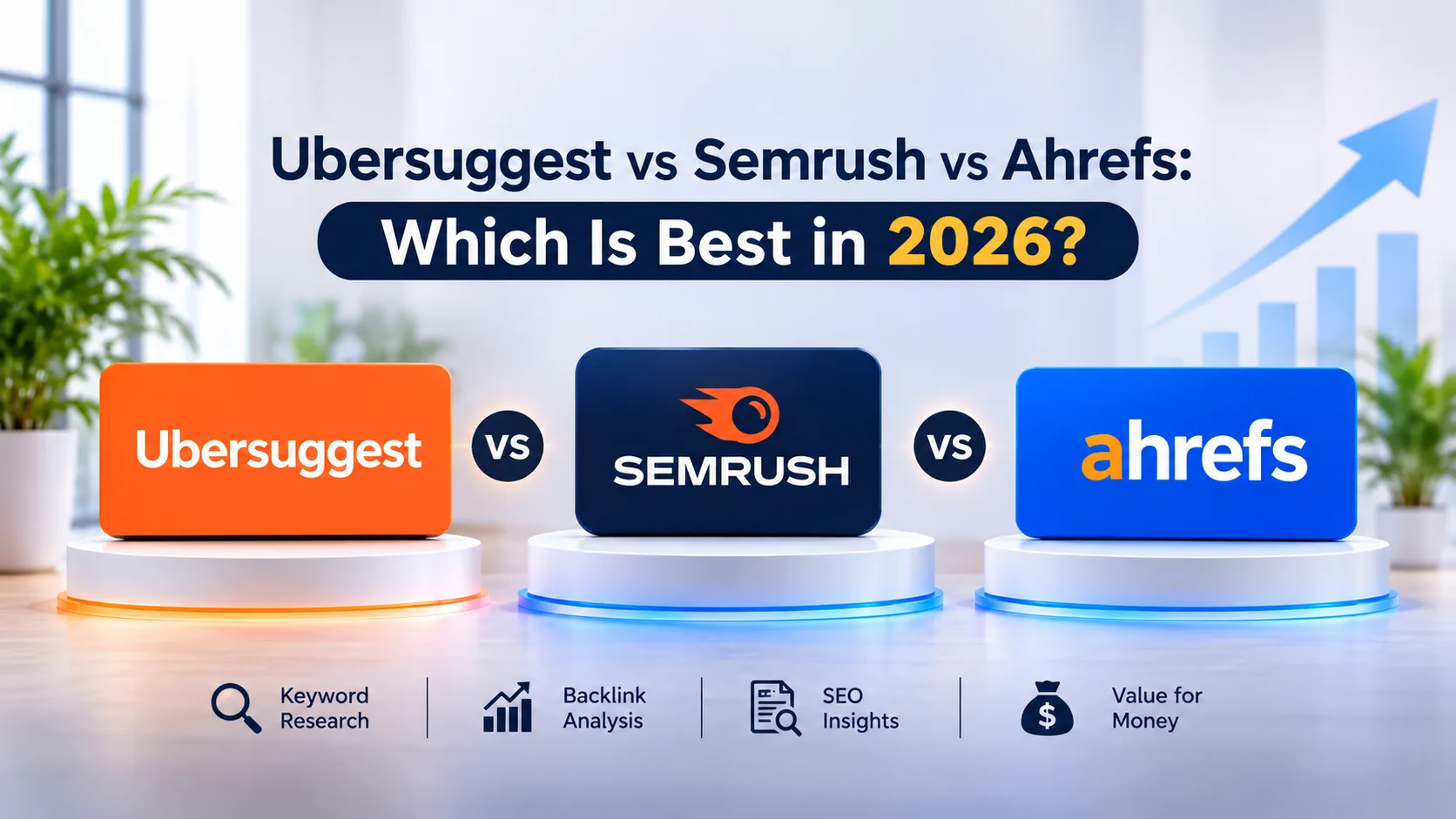
Ubersuggest vs Semrush vs Ahrefs: Side-by-Side Comparison Table
| Feature | Ubersuggest | Semrush | Ahrefs |
| Starting price | $29/month (Individual, monthly billing) | $139.95/month (Pro, monthly billing) | $129/month (Lite); a lower-priced Starter plan is also available |
| Lifetime plan | Yes, one-time from $290 | No | No |
| Free option | Limited daily searches | Limited free access | Ahrefs Free for verified sites |
| Keyword research | Simple and fast | Very deep, with Keyword Magic Tool | Deep, with click data |
| Backlink analysis | Good for small sites | Strong | Best in class |
| Site audit | Clear issue list, desktop and mobile speed | Detailed health score | Advanced, page-level checks |
| Competitor research | Keywords by Traffic, Traffic Overview | Domain Overview, Traffic Analytics (extra cost) | Site Explorer, historical comparisons |
| Content ideas | Includes social share data | Topic Research | Content Explorer |
| Paid ads and social tools | Paid keyword data only | Dedicated tools | Paid search insights |
| AI search tracking | Yes | Yes | Yes (Brand Radar) |
| Learning curve | Low | Medium to high | Medium to high |
| Best for | Beginners, small budgets | All-in-one marketing teams | Agencies, link builders |
Ahrefs also sells a lower-priced Starter plan for newcomers, with tighter limits than Lite. Check plan limits before comparing it directly with Ubersuggest’s entry plan.
Who Each Tool Is Really For
Before comparing features, it helps to picture the person each tool was designed around.
Ubersuggest fits the solo marketer or small business owner. You enter a keyword or a domain, and you get a clear answer without a long setup. It is also the only one of the three with a lifetime payment option, which appeals to people who dislike recurring bills.
Semrush fits teams that juggle many channels. If you run Google Ads, publish weekly content, and report on social media, having everything in one login saves time. The trade-off is a higher price and more menus to learn.
Ahrefs fits people who live inside data. SEO specialists, agencies, and link builders like its detail, especially around backlinks and how competitors change over time.
Moz is also worth a mention. It is a good alternative if you care about the Domain Authority metric or need local search tools through Moz Local, which is sold separately. We focus on the big three here, but if local SEO is your main goal, add Moz to your trial list.
Keyword Research Compared
Keyword research is where most people start, so it is a fair first test.
Ubersuggest
Type in a keyword and you see search volume, SEO and paid difficulty, cost per click, and a trend line. The Keyword Ideas view sorts suggestions into five groups: autocomplete, related terms, questions, prepositions, and comparisons. That grouping is helpful when you are brainstorming blog topics, because question keywords often show clear search intent. The Keywords by Traffic report also shows which terms bring visitors to a competitor.
Semrush
Semrush adds search intent labels and a detailed view of the search results page. Its Keyword Magic Tool can turn one seed term into thousands of related ideas, which you can filter down. The Keyword Strategy Builder goes a step further and groups terms into pillar pages and supporting pages. If you plan to publish dozens of articles on one theme, that planning layer saves hours.
Ahrefs
Ahrefs shows volume, keyword difficulty, and CPC, and it also shows how often people actually click on results. That click data matters because some searches end without a click at all. Its SERP analysis lets you see who ranks and how strong their backlink profiles are, which helps you judge whether a keyword is realistic for your site.
Our take
For quick idea-to-action workflows, Ubersuggest is the easiest. For big content plans, Semrush has the most planning features. For judging how hard a keyword really is, Ahrefs gives the most context. If you are just learning, start with the simplest view and add depth later.
Backlink Analysis Compared
Backlinks remain one of the clearest signals of trust. Studying who links to your competitors is a smart way to find outreach targets.
Ubersuggest shows backlink counts, referring domains, anchor text, and follow or nofollow status, and you can filter by authority. Its Backlink Opportunity feature compares your domain to a competitor and lists sites that link to them but not to you. One detail worth knowing: Ubersuggest uses Moz data for its Domain Authority and Page Authority scores.
Semrush offers Backlink Analytics with new and lost links, referring domains, anchor text, and its own Authority Score. It can flag links that look harmful, though a flag does not automatically mean you should disavow. Its link building tool creates outreach prospect lists. These lists are a starting point, so still review them by hand.
Ahrefs is the strongest here. Site Explorer shows how a link profile grows or shrinks over time and how fast a competitor earns new links. The 404 filter is a favorite among link builders: it finds broken pages on competitor sites that still have links pointing to them. You can create a better page on that topic and pitch the sites that linked to the broken one.
Our take: If link building is central to your plan, Ahrefs is worth the higher cost. If you just need a healthy overview of your own links and a few opportunities, Ubersuggest or Semrush is enough.
Site Audits and Technical SEO
Great content cannot rank if search engines struggle to crawl your site, so audits matter.
Ubersuggest scans your site and lists issues such as missing H1 tags or meta descriptions. It also lets you switch between desktop and mobile speed results. That is useful because a page can feel quick on a laptop and still be slow on a phone.
Semrush gives a site health score, explains which pages are affected, and lets you re-check after fixes. It handles large sites well, which is why many agencies use it for client audits.
Ahrefs groups problems into errors, warnings, and notices so you can prioritize. It also checks internal linking and security, and its Page Explorer lets you inspect single pages and compare crawl data over time.
A warning from experience: a perfect audit score is not the goal. Some flagged items are harmless, and some serious problems hide behind a green score. Fix what affects crawling, indexing, speed, and user experience first.
Competitor Analysis and Content Ideas
When a competitor outranks you, you want to know which pages and keywords bring them traffic.
Ubersuggest uses Keywords by Traffic and Traffic Overview to show a rival’s estimated traffic, top pages, and ranking terms. Its Content Ideas feature shows articles that already perform well for a topic and adds social engagement data from platforms like Facebook, Reddit, and Pinterest. That extra signal helps you see whether people share a topic, not just search for it.
Semrush offers Domain Overview, Organic Rankings, and intent breakdowns. Traffic Analytics, which covers audience behavior, can require a separate subscription, so costs can add up.
Ahrefs Site Explorer lets you compare a site at two points in time. If a competitor suddenly gains many keywords, you can investigate what changed. Content Explorer lets you filter popular articles by traffic, shares, or domain rating.
Our take: Smaller businesses can learn a lot from Ubersuggest without paying for data they will not use. Teams that need historical comparisons and heavy research will prefer Ahrefs or Semrush.
AI Search Visibility Tracking
People now ask questions in ChatGPT, Google AI features, and similar tools, so brands want to know if they get mentioned. All three tools now address this, but they do it differently.
- Ubersuggest tracks brand visibility in AI-generated answers and compares you with competitors, alongside normal SEO data. It also includes an AI writing tool.
- Semrush has an AI Visibility toolkit that tracks mentions and specific prompts. Keyword Strategy Builder and Copilot help with planning and recommendations.
- Ahrefs offers Brand Radar, which tracks brand mentions and the sources AI tools cite. Some prompt tracking is included in paid plans, and standalone Brand Radar prompt packages are listed from $50 per month.
Do not pick a tool only because it lists AI features. Check which prompts, platforms, and limits come with your plan, and ask whether the data answers a question you actually have.
Pricing: What You Actually Pay
| Tool | Entry price (monthly billing) | What to watch |
| Ubersuggest | $29/month (Individual) | Business $49 and Enterprise $99 plans; about 45% less per month on annual billing; lifetime option at $290, $490, or $990 one-time; free version with daily limits; 7-day trial; prices may vary by region |
| Semrush | $139.95/month (Pro); Guru $249.95; Business $499.95 | About 17% lower per month on annual billing; extra users cost more; paid add-ons; trial terms vary |
| Ahrefs | $129/month (Lite); Standard $249; Advanced $449; Enterprise $1,499 | A lower-priced Starter plan exists for beginners; add-ons like Content Kit and Project Boost; Brand Radar AI prompt packages from $50/month; Ahrefs states it never runs discounts |
Prices were checked on November 24, 2026. Vendors change plans and run offers often, so confirm on the Ubersuggest, Semrush, and Ahrefs pricing pages before you buy.
The headline price rarely tells the full story. Check how many projects, tracked keywords, and reports each plan allows. A cheap plan that you outgrow in two months is not cheap.
Two cost-saving ideas: use free versions and trials to test more than one tool, and consider paying for one tool at a time rather than stacking subscriptions you will not fully use.
How Accurate Is the Data?
Every SEO tool estimates traffic and rankings using its own data sources. None of them see your real visitors the way Google Search Console and your analytics do. That means numbers can differ between tools, and none should be treated as exact.
Here is a simple way to test accuracy for your own niche:
- Pick one website you own and one you know well.
- Note its real organic clicks and top queries from Google Search Console.
- Look up the same site in each tool you are trialing.
- Compare the estimates with your real numbers.
- Choose the tool that tracks reality most closely for your industry, then use it for trends rather than absolute values.
This ten-minute test is more useful than any review, including this one.
Case Study: A Small Business Picks a Tool (Illustrative)
Please note: the scenario below is an illustrative example built to show how the decision and workflow could play out. The figures are sample numbers, not results from a specific client.
The business: A local home-services company with a ten-page website, a part-time marketer, and a monthly software budget of about $50.
The problem: The site got around 1,100 organic clicks a month, mostly from the brand name. Blog posts were published without keyword research, and nobody knew why competitors ranked above them for service-plus-city searches.
The decision: The team trialed all three tools on the same domain. Semrush and Ahrefs offered more depth but pushed the monthly cost well past the budget. Ubersuggest fit the budget and covered keyword ideas, a basic audit, and competitor keywords. They chose it and planned to revisit the decision after a quarter.
The workflow:
- Week 1: Ran a site audit and fixed missing meta descriptions, duplicate titles, and slow mobile pages.
- Weeks 2 and 3: Used competitor keyword reports to build a list of 40 service and question keywords, then grouped them by intent.
- Weeks 4 to 12: Published 12 helpful articles and updated 6 weak pages, one clear topic per page.
Sample results after 90 days:
| Metric | Before | After 90 days |
| Monthly organic clicks | 1,100 | 1,900 |
| Keywords in top 10 | 18 | 41 |
| Pages with audit issues | 23 | 6 |
| Tool cost per month | $0 | $29 |
What they learned: The lift came mostly from fixing basics and answering searcher questions clearly, not from owning the most advanced tool. After the quarter, they noticed they wanted deeper backlink data, so they planned a short Ahrefs trial for link building. That is a healthy pattern: start simple, then upgrade for a specific reason.
How to Choose in Five Minutes
Answer these questions honestly.
- What is your monthly budget? Under $50 points to Ubersuggest. Above $130 opens up Semrush and Ahrefs.
- What is your main job? Content and keywords suggest Ubersuggest or Semrush. Link building suggests Ahrefs. Paid ads and social ads suggest Semrush.
- How much time can you spend learning? If you have a few hours a week, a simple tool wins. If SEO is your full-time job, depth is worth it.
- How big is your site? A small site rarely needs enterprise-level crawling. A large site or many client sites does.
- Do you need one login for everything? If yes, Semrush is the closest to an all-in-one platform.
If you are still torn, run the free tiers and trials side by side for a week with the same three tasks: one keyword search, one competitor lookup, and one site audit.
A 30-Day Study Plan to Learn Your SEO Tool
Buying a tool is easy. Using it well takes a plan. This four-week routine works for any of the three platforms.
Week 1: Learn the basics (3 hours)
- Connect or add your site and run the first audit.
- Read the help pages for the keyword and audit sections.
- Fix the five easiest issues, such as missing titles or descriptions.
Week 2: Keyword research (4 hours)
- Choose one topic your customers care about.
- Build a list of 30 to 50 related keywords and group them by intent: learn, compare, or buy.
- Pick 10 to target first, favoring lower difficulty and clear relevance.
Week 3: Competitors and backlinks (4 hours)
- Add two or three real competitors.
- Review their top pages and the keywords they rank for that you do not.
- Write down five link opportunities and three content gaps.
Week 4: Act and measure (4 hours)
- Publish or update two pieces of content from your keyword list.
- Set up rank tracking for your target terms.
- Compare tool data with Google Search Console, and write down what you learned.
At the end of 30 days, ask: did this tool help me make better decisions faster? If yes, keep it. If not, switch before you commit to a yearly plan.
Common Mistakes to Avoid
- Buying the most expensive plan first. Start with the lowest plan that covers your needs and upgrade when you hit a real limit.
- Chasing search volume alone. A keyword with lower volume and clear intent often brings better customers than a huge, vague term.
- Treating estimates as facts. Traffic and difficulty scores are guides. Confirm with Search Console.
- Obsessing over audit scores. A score of 100 does not guarantee rankings.
- Ignoring search intent. If searchers want a comparison and you publish a sales page, you will struggle to rank.
- Using automated link lists blindly. Prospect lists need human review for relevance and quality.
- Paying for several overlapping tools. Many teams use only 20 percent of what they pay for.
- Skipping the trial. A week of hands-on testing prevents months of regret.
Expert Tips
- Pair a tool with Google Search Console. It is free and shows real queries, clicks, and impressions. Use your SEO tool to explore and Search Console to verify.
- Look at question keywords first. They often reveal what people are trying to solve, which helps you write useful, trustworthy content.
- Refresh before you publish new. Updating a page that already ranks on page two is often faster than starting from zero.
- Study the top results by hand. Before writing, read the pages that rank. Note what they cover well and what they miss, then add real experience, examples, or data they lack.
- Check mobile speed. Many visitors arrive on phones, so a slow mobile page can quietly hurt results.
- Track brand mentions in AI answers monthly. The field changes quickly, so a short monthly check is enough to spot trends.
- Document your process. A simple sheet noting what you changed and when makes it easier to learn what worked.
Downloadable Resources
These free templates are built to be copied. Paste any table into Google Sheets or Excel, or save this page as a PDF to use offline.
1. SEO Tool Scorecard
Rate each tool from 1 (weak) to 5 (strong) during your trial. Multiply each score by the weight, then add up each column.
| Criteria | Weight (1 to 3) | Ubersuggest | Semrush | Ahrefs |
| Price fits my budget | 3 | |||
| Keyword data quality | 3 | |||
| Backlink data | 2 | |||
| Site audit usefulness | 2 | |||
| Ease of use | 2 | |||
| AI search tracking | 1 | |||
| Reports and exports | 1 | |||
| Weighted total |
2. Three-Task Trial Test
Give every tool the same three jobs, and note how long each takes.
- Find 20 keywords for one service or product page.
- Look up one real competitor and list five keywords they rank for that you do not.
- Run a site audit and fix the three most serious issues.
3. Keyword Research Template
| Keyword | Monthly volume | Difficulty | Search intent | Target page | Status |
| best seo tool for small business | Compare | New blog post | To do | ||
| how to run a site audit | Learn | Existing guide | Update |
4. Site Audit Fix Tracker
| Issue | Pages affected | Priority (high, medium, low) | Owner | Date fixed |
| Missing meta descriptions | High | |||
| Slow mobile load time | Medium |
Final Thoughts and Next Step
The debate of Ubersuggest vs Semrush vs Ahrefs does not have a single winner, because each tool solves a different problem. Ubersuggest is the practical, budget-friendly starting point. Semrush is the broad platform for multi-channel teams. Ahrefs is the specialist’s choice for backlinks and deep competitor research.
The smartest move is simple: shortlist one or two tools, run the five-minute decision test, trial them on your own site, and follow the 30-day plan. Choose the tool that helps you act faster, not the one with the longest feature list.
Frequently Asked Questions
1. How much do Ubersuggest, Semrush, and Ahrefs cost?
Ubersuggest starts at $29/month, Semrush at $139.95/month, and Ahrefs at $129/month for its Lite plan (all on monthly billing). Annual billing, lifetime offers, add-ons, and regional pricing can change what you pay, so confirm on each vendor’s pricing page.
2. Is Ubersuggest as good as Semrush and Ahrefs?
For most small businesses, Ubersuggest covers the core jobs of keyword research, competitor checks, and site audits at a much lower price. Semrush and Ahrefs offer more depth and data, which matters more for agencies, large sites, and heavy link-building work.
3. Which is better for beginners: Ubersuggest, Semrush, or Ahrefs?
Ubersuggest is the easiest to learn and has a free version. Semrush and Ahrefs are powerful but take more time to understand.
4. Which tool is best for backlink research?
Ahrefs is generally the strongest choice for backlink research, thanks to its detailed link history and the 404 filter. Semrush is a solid second option.
5. Is Semrush worth the higher price?
It can be if you use its extra tools for paid ads, social media, or large content planning, and if it replaces other subscriptions. If you only need basic SEO, you may be paying for features you will not use.
6. Can I use more than one SEO tool?
Yes. Some marketers pair a budget-friendly tool for daily keyword work with a deeper one for periodic backlink research. Just avoid paying twice for the same features.
7. Do any of these tools have a free version?
Ubersuggest has a free version with limited daily searches, Semrush offers limited free access, and Ahrefs Free provides some data for sites you verify. Trial terms change, so check the vendor sites.
8. Are SEO tool numbers accurate?
They are estimates. Use them to compare pages, spot trends, and prioritize work, and verify important numbers with Google Search Console and your analytics.
9. Do I need an SEO tool at all?
Not always. Very small sites can start with Google Search Console and free tools. A paid tool makes sense once you need competitor data, rank tracking, or regular audits.