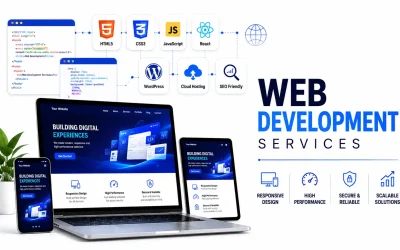
Quick Answer : Web application development services take a business need from requirements to a secure, maintained, browser-based product. This guide explains what the services include, how the process works, what drives cost, and how to choose a partner. A planning checklist is included at the end.
Introduction
Most businesses now run on software. Customers book appointments online, teams track work in a browser, and finance departments approve invoices from a dashboard. Behind each of these is a web application, and behind each web application is a team that planned, designed, built, and maintains it.
Web application development services cover that end-to-end work: turning a business problem into a secure, usable product that runs in a browser. Whether you are a startup validating an idea, a growing company replacing spreadsheets, or an enterprise modernizing legacy systems, knowing how these services work helps you scope better and avoid expensive mistakes.
In this guide you will learn what the services include, how web applications differ from websites, which types and technologies exist, how the development process and costs work, how to choose a partner, and what to do about security.
What Are Web Application Development Services?
Web application development services are professional services that cover the planning, design, development, testing, deployment, and maintenance of software that runs in a web browser. They help businesses build custom web applications that automate processes, serve customers, and manage data without requiring users to install anything.
A web application development company or team of web application developers typically offers:
- Discovery and consulting: clarifying goals, users, and scope
- UI/UX design: wireframes, prototypes, and interface design
- Frontend and backend development: what users see, and the logic behind it
- Database and API work: storing data and connecting other systems
- Testing and quality assurance: checking function, performance, and security
- Deployment and hosting support: launching on cloud or on-premise infrastructure
- Maintenance and support: updates, fixes, monitoring, and improvements
Some providers cover everything; others specialize in one layer, such as frontend work or integrations. The right fit depends on what your project needs and what your team can already do.
What Is a Web Application?
A web application is software you use through a browser such as Chrome, Safari, Edge, or Firefox. It runs on a server, processes user input, works with a database, and returns results to the screen. Online banking portals, project management tools, booking platforms, and customer dashboards are all web applications.
A traditional website mainly presents information. A web application lets users do things: log in, enter data, make payments, collaborate, and see personalized results. The line is not always sharp, since many websites include application-like features, but the key difference is the amount of interactivity and logic behind the interface. (A side-by-side comparison appears later in this guide.)
Types of Web Applications
Different business goals call for different architectures. Many real products combine several of these types.
| Type | What it is | Best for | Example |
| Static | Fixed content, the same for every visitor | Simple, fast pages | Documentation page |
| Dynamic | Content generated from user actions and database records | Personalized, data-driven experiences | Customer dashboard |
| Single-page application (SPA) | One page that updates without full reloads | Fluid, app-like interaction | Web-based email client |
| Multi-page application (MPA) | A new page loads from the server for each action | Large, content-rich platforms | Large online catalog |
| Progressive web application (PWA) | Web app with offline access and installability (support varies by browser and device) | Field work, unreliable connections | Field service tool |
| E-commerce | Catalogs, carts, checkout, payments, inventory | Online selling | Online store |
| Enterprise | Complex workflows with role-based access and system integration | ERP, CRM, HR, supply chain | Internal operations platform |
| Portal | Authenticated access to information and services for defined groups | Customers, patients, students, partners | Patient or student portal |
| SaaS | Subscription software delivered from the cloud, usually multi-tenant | Selling software to many customers | Project management tool |
SPAs deserve one extra note: they feel smooth but need careful handling of initial load time and search visibility if public pages matter to you.
Key Features of Modern Web Applications
Requirements vary, but most well-built web applications share these characteristics:
- Responsive design: layouts adapt to phones, tablets, and desktops from one codebase.
- User-friendly interface: clear navigation and accessible design reduce training and support needs. The WCAG guidelines are the common reference for accessibility.
- Secure authentication: strong login, session handling, and multi-factor authentication where appropriate.
- Database integration: reliable storage and retrieval of customers, orders, documents, and other records.
- API integration: connections to payment gateways, CRMs, accounting tools, and internal systems.
- Scalability: architecture that can handle growth in users, data, and features without a rebuild.
- Cross-browser compatibility: consistent behavior across major browsers and versions.
- Performance optimization: efficient code, caching, and optimized assets. Google’s Core Web Vitals describe user-centered performance measures.
- Third-party integrations: analytics, email, chat, maps, and payments without building each from scratch.
Benefits of Web Application Development for Businesses
- Cost efficiency: one web application can serve many devices, which may reduce the need for separate versions per operating system. Long-term cost still depends on scope and maintenance.
- Accessibility: users reach it from any modern browser with an internet connection.
- Automation: approvals, invoicing, reporting, and notifications can run without manual effort.
- Scalability: with sound architecture, capacity can grow with demand.
- Better user experience: workflows built around your process are often easier than workarounds in generic tools.
- Centralized management: updates deploy once on the server, and data lives in one controlled place.
- Productivity: connected systems cut duplicate data entry, errors, and tool-switching.
These benefits depend on how well the application fits real needs and how well people adopt it. No development approach guarantees a business outcome.
Web Application Development Process
Teams use different methods, such as Agile, Scrum, or phased delivery, but most projects pass through the same stages.
- Requirement analysis: the team gathers business goals, user needs, constraints, and success criteria. Typical outputs are user stories, a feature list, and a scope document.
- Planning and research: competitor research, architecture, technology choices, milestones, and risks. This is where the first release (the MVP) is separated from later phases.
- UI/UX design: user flows, wireframes, and interactive prototypes. Testing a prototype with real users before coding can prevent costly rework.
- Frontend development: the user-facing layer built with HTML, CSS, JavaScript, and often a framework such as React, Angular, or Vue.js.
- Backend development: business logic, permissions, and data processing, commonly with Node.js, PHP (often Laravel), or Python.
- Database development: data structure, relationships, indexing, and backup strategy, using relational (such as MySQL) or document databases (such as MongoDB) depending on the data.
- API integration: connecting payment, CRM, ERP, messaging, and other services, and designing APIs that support future mobile apps or partners.
- Testing and quality assurance: functional, usability, cross-browser, performance, and security testing, supported by automated tests that catch regressions.
- Deployment: release to production with staging environments, deployment pipelines, monitoring, and a rollback plan.
- Maintenance and updates: security patches, dependency updates, bug fixes, monitoring, backups, and improvements based on user feedback.
Technologies Used in Web Application Development
There is no single best stack. The right choice depends on requirements, team skills, performance needs, and long-term maintenance. This table shows what each common technology does and when it tends to fit.
| Technology | Layer | What it does | Often a fit when |
| HTML | Frontend | Structures page content | Always; it is the foundation |
| CSS | Frontend | Controls layout, styling, and responsiveness | Always |
| JavaScript | Frontend and backend | Adds interactivity and logic | Almost every web application |
| React.js | Frontend | Component-based user interface library | Interactive, data-heavy interfaces |
| Angular | Frontend | Full framework with built-in structure | Large applications with many developers |
| Vue.js | Frontend | Progressive framework with a gentle learning curve | Small to mid-size interfaces, incremental adoption |
| Node.js | Backend | JavaScript on the server | Real-time features, APIs, one language across the stack |
| PHP | Backend | Widely used server-side language | Content-driven and e-commerce applications |
| Laravel | Backend | PHP framework with routing, authentication, and queues built in | Faster delivery of structured business applications |
| Python | Backend | General-purpose language | Data processing, automation, or AI features alongside the app |
| MySQL | Database | Relational database | Structured data with clear relationships, such as orders and accounts |
| MongoDB | Database | Document database | Flexible or fast-changing data structures |
Most teams also use Git for version control, a cloud platform, containers, and CI/CD pipelines. A good partner explains why a technology fits your project, including who will maintain it later, instead of defaulting to what is familiar.
Custom Web Application Development vs Ready-Made Solutions
Choosing between custom web application development and a ready-made product is one of the most important early decisions.
| Factor | Custom web applications | Ready-made solutions |
| Fit to your needs | Built around your workflows | Designed for general use |
| Upfront investment | Usually higher | Usually lower |
| Time to start | Longer; it must be designed and built | Faster; often available immediately |
| Flexibility | High; evolves with the business | Limited to what the vendor allows |
| Scalability | Can be designed for your growth path | Depends on vendor plans and limits |
| Ownership and control | Greater control of code, data, and roadmap | Vendor controls roadmap and pricing |
| Integrations | Built for your specific systems | Limited to supported integrations |
| Ongoing costs | Maintenance and hosting | Subscription or license fees |
| Main limitation | Needs careful planning and skilled developers | May force process compromises |
| Best suited for | Unique processes, differentiation, complex integrations | Standard needs, quick validation, tight budgets |
A quick decision guide
Ask these questions in order. The first “yes” usually points to your starting approach.
| Question | If yes, lean toward |
| Does a ready-made tool already cover most of the process? | Ready-made, with light configuration |
| Is the process itself a competitive advantage? | Custom |
| Do you need to connect several internal systems in a specific way? | Custom, or ready-made plus custom integrations |
| Do you need to validate demand before investing heavily? | Ready-made or a small custom MVP |
| Will you sell the software to others as a product? | Custom (SaaS) |
| Are workarounds in your current tools costing more than they save? | Custom, or a hybrid migration |
Many businesses start with a ready-made tool and move to custom development when workarounds become costly. Others take a hybrid route, using ready-made components inside a custom application.
How Much Do Web Application Development Services Cost?
There is no universal price. Costs vary widely with what you build and who builds it, so treat any fixed figure that ignores your requirements with caution. These factors have the biggest effect:
- Project complexity: a simple internal tool costs far less than a multi-role platform with complex workflows.
- Features and functionality: each feature, such as roles, payments, reporting, or search, adds design, development, and testing effort.
- Technology stack: choices affect build speed, hiring availability, licensing, and hosting.
- UI/UX requirements: custom design, prototyping, accessibility work, and user research add effort.
- Integrations: connecting payment gateways, ERPs, CRMs, or legacy systems can take longer than expected, especially with poor documentation.
- Security requirements: sensitive data and regulated industries need extra design, testing, and compliance work.
- Maintenance requirements: hosting, monitoring, updates, and support are ongoing costs to budget from the start.
Scoping questions to answer before you request quotes
Clear answers here lead to more comparable proposals:
- Who are the users, and what is the one task they must complete?
- Which features are must-have for launch, and which can wait?
- Which systems must it connect to?
- What data will it hold, and which regulations apply?
- How many users and records do you expect in year one?
- Who will own the code, hosting accounts, and documentation?
- Who maintains the application after launch?
- How will you measure whether it is working?
Ask each provider for a written scope, what is included and excluded, and how changes are priced.
Book a Free Consultation
Web Application Development vs Website Development
What is the difference between a website and a web application?
A website primarily presents information to visitors, while a web application lets users interact with it to perform tasks, such as logging in, submitting data, or managing accounts. Web applications involve more complex backend logic, databases, and user-specific functionality than typical informational websites.
| Aspect | Website | Web application |
| Purpose | Share information, promote a brand | Let users perform tasks and manage data |
| Functionality | Mostly content display | Processing, workflows, transactions, personalization |
| User interaction | Limited (reading, forms, contact) | High (accounts, dashboards, real-time updates) |
| Complexity | Generally lower | Generally higher, with backend logic and databases |
| Authentication | Often not needed | Commonly required |
| Examples | Company site, blog, portfolio | Online banking, CRM, booking system, SaaS tool |
Why Do Businesses Need Professional Web Application Development Services?
A simple prototype can sometimes be built in-house or with low-code tools. Professional expertise becomes important when:
- the application handles sensitive data such as personal, financial, or health information
- you expect growing traffic or data volume
- it must integrate with existing systems
- uptime and reliability directly affect revenue or operations
- you need a clear roadmap, documentation, and long-term support
- your team lacks the time or specialist skills
Experienced teams bring structured processes, architecture decisions that avoid common pitfalls, security awareness, and quality assurance. This often reduces rework and technical debt, though results still depend on clear requirements and good collaboration.
How to Choose the Right Web Application Development Company
How do I choose a web application development company?
Choose a web application development company by evaluating its technical expertise, relevant portfolio, development process, communication, security practices, and post-launch support. Ask for references, request a clear scope and estimate, and confirm the team understands your business goals, not just the technology.
Use these criteria when comparing providers:
- Technical expertise: experience with the technologies and architecture your project needs.
- Portfolio and previous projects: work similar in complexity or industry. Ask what role the team played in each.
- Development process: a clear explanation of how they plan, build, test, and release.
- Communication: a named point of contact, regular updates, and accessible documentation.
- Security practices: how they handle secure coding, testing, access control, and data protection.
- Post-launch support: maintenance, bug fixing, monitoring, and enhancement options.
- Project transparency: clear scope, milestones, change management, and pricing structure.
- Scalability expertise: how they design for growth, with examples.
Red flags: a fixed price quoted with no discovery, no questions about your users, vague answers on security, no mention of testing or maintenance, and unclear code ownership.
Web Application Security Best Practices
Security belongs in the design from the start, not at the end. The OWASP Top 10 is the standard awareness document for common web application risks, and NIST’s Secure Software Development Framework offers broader guidance on secure development practices.
- Authentication: strong password policies, multi-factor authentication where appropriate, and secure session handling.
- Authorization: least privilege, so users reach only what their role requires.
- HTTPS: encrypt data in transit with correctly configured TLS.
- Data encryption: protect sensitive data at rest and manage keys carefully.
- Secure coding: validate and sanitize input, use parameterized queries, and guard against injection and cross-site scripting.
- Regular updates: keep frameworks, libraries, servers, and dependencies patched.
- Security testing: combine automated scanning, code review, and periodic penetration testing.
- Backups and monitoring: keep tested backups and activity logs so problems are found and fixed quickly.
Data protection: if you handle personal data, laws such as India’s Digital Personal Data Protection Act, 2023 or the EU’s GDPR may apply depending on where your users are. Confirm requirements with qualified legal counsel before launch.
No application is completely risk-free. The goal is to reduce risk systematically and respond well when issues occur.
Web Application Development Trends in 2026
Investing in proven approaches usually carries less risk than chasing every new trend, so it helps to separate what is established from what is still emerging.
| Maturity | Trend | What it means in practice |
| Established | Progressive web apps | Offline-capable, installable web experiences; capabilities vary by browser and device |
| Established | Cloud-native applications | Built for cloud platforms, often with containers and managed services |
| Established | API-first development | APIs designed before interfaces, so web, mobile, and partners can share them |
| Established | Enhanced security practices | Secure development, dependency management, and compliance as standard |
| Growing | Headless architecture | Content or backend separated from the frontend for multi-channel delivery |
| Growing | Serverless architecture | Managed platforms reduce infrastructure work for suitable workloads; not right for every project |
| Growing | Low-code and no-code | Fast for prototypes and internal tools; may limit customization, performance, and portability |
| Emerging | AI-powered features | Intelligent search, assistants, and recommendations; value depends on clear use cases, data quality, and responsible handling of privacy and accuracy |
Common Web Application Development Mistakes to Avoid
- Poor planning: vague requirements lead to scope creep, delays, and budget overruns.
- Ignoring mobile responsiveness: many users will arrive on phones. Test on real devices.
- Weak security: skipped reviews and outdated components expose data and damage trust.
- Inadequate testing: releasing without functional, performance, and usability tests creates avoidable bugs.
- Poor scalability planning: an architecture that suits 100 users may struggle with 10,000.
- Neglecting maintenance: unmaintained software accumulates security and compatibility problems.
- Overbuilding version one: too many launch features delay feedback. Start with the core and iterate.
- Ignoring user feedback: a well-built application still fails if it does not solve real problems.
Real-World Use Cases of Web Applications
These are general illustrations of how organizations use web applications:
- Healthcare: patient portals for booking, records access, and secure messaging, with strict privacy and access controls.
- Education: learning management systems with course delivery, assignments, and progress tracking.
- E-commerce: stores with catalogs, carts, payment gateways, inventory sync, and order tracking.
- Finance: dashboards for account management, loan applications, reporting, and secure document submission.
- Real estate: listing platforms with search filters, virtual tours, lead management, and agent dashboards.
- Logistics: shipment tracking, fleet and route management, warehouse inventory, and delivery scheduling.
- Business management: CRM, ERP, HR, and project tools that centralize operations and automate workflows.
Expert Tips for Successful Web Application Development
- Define the problem before the solution. Be clear about who the users are and what they must accomplish.
- Start with an MVP. Launch essential features first, then expand based on real feedback.
- Involve the people who will use it. Include them in requirements and testing.
- Prototype before you build. Time spent on user flows usually costs less than fixing usability issues after launch.
- Choose technology for the long term. Weigh maintainability, community support, and available talent, not only popularity.
- Build security in. Put security requirements into planning, design, and testing.
- Document as you go. It helps onboarding, maintenance, and future development.
- Plan for change. Modular architecture and clean APIs let features evolve without a rewrite.
- Measure and iterate. Track usage, performance, and errors, and let that guide improvements.
Conclusion
Web applications now sit at the center of how organizations serve customers and run operations. Good web application development services combine clear requirements, thoughtful design, sound engineering, thorough testing, strong security, and long-term support.
The key points to remember:
- Start with the business problem and user needs, not the technology.
- Choose custom, ready-made, or hybrid based on your processes, budget, and growth plans.
- Treat security, scalability, and maintenance as core requirements.
- Choose a partner for its process, transparency, and understanding of your goals, not only its price.
Frequently Asked Questions
1. What are web application development services?
They cover planning, designing, building, testing, deploying, and maintaining browser-based software that automates processes, serves customers, and manages data.
2. What is the difference between a website and a web application?
A website mainly provides information. A web application lets users perform tasks such as logging in, submitting data, or completing transactions, and relies on more complex backend logic and databases.
3. How does web application development work?
It typically moves through requirement analysis, planning, UI/UX design, frontend and backend development, database and API work, testing, deployment, and maintenance. Many teams work iteratively in short cycles.
4. What are the different types of web applications?
Common types are static, dynamic, single-page, multi-page, progressive, e-commerce, enterprise, portal, and SaaS applications. Each suits different business needs.
5. Which technologies are used for web application development?
Frontends commonly use HTML, CSS, JavaScript, and frameworks such as React.js, Angular, or Vue.js. Backends often use Node.js, PHP (Laravel), or Python, with databases such as MySQL or MongoDB. The right mix depends on your requirements.
6. How much do web application development services cost?
Cost depends on complexity, features, technology stack, design needs, integrations, security, and maintenance. A reliable estimate needs a defined scope, so compare detailed proposals rather than headline figures.
7. How long does it take to develop a web application?
Timelines vary with scope. A focused MVP generally takes less time than an enterprise platform with many integrations. Expect a realistic estimate only after the team has reviewed your requirements.
8. What are the benefits of custom web application development?
Tailored workflows, flexibility, scalability, control over data and features, and integration with existing systems. The trade-off is more upfront planning and investment than ready-made tools.
9. Are web applications mobile-friendly?
They can be. Responsive design adapts the layout to any screen size, and PWA techniques can add app-like features. Test on real devices during development.
10. How do I choose a web application development company?
Compare technical expertise, relevant projects, process, communication, security practices, post-launch support, transparency, and scalability experience. Ask for references and a written scope.